Guide · Add a watch · Part 4 of 4
Maintenance & Legacy.
The fourth group: the watch's servicing and tests, where it is kept and where it goes next, your own scores, and your own notes. These pictures show the form with every field empty; grey text in a box is only an example. The Ratings picture is the exception: it shows sample scores. Where the form gives a section a one-line description, it appears in italics under the heading.
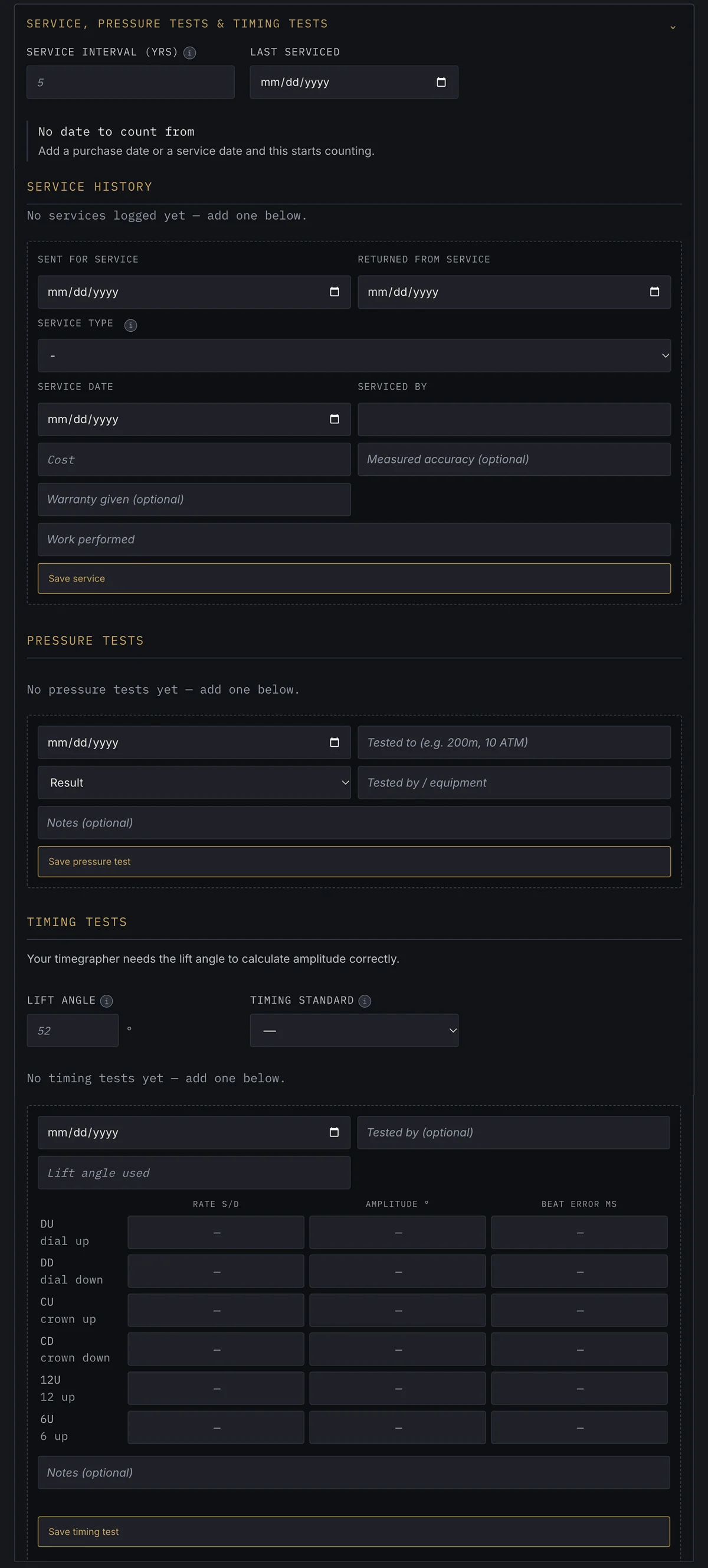
Service, Pressure Tests & Timing Tests
Service history, pressure tests and timing runs, over the years
A service interval and the date last serviced; once the record has a purchase or service date, the count starts from it. Counted from the purchase date, the result is marked Estimated — the application cannot know when the watch was last serviced before you owned it. The service history takes one entry per visit: when it was sent and returned, the service type and date, who serviced it, the cost, measured accuracy, any warranty given and the work performed. Pressure tests record the date, what it was tested to, the result, who tested it and notes. Timing tests take the lift angle your timegrapher needs and a timing standard, then rate, amplitude and beat error in up to six positions.
Custody & Succession
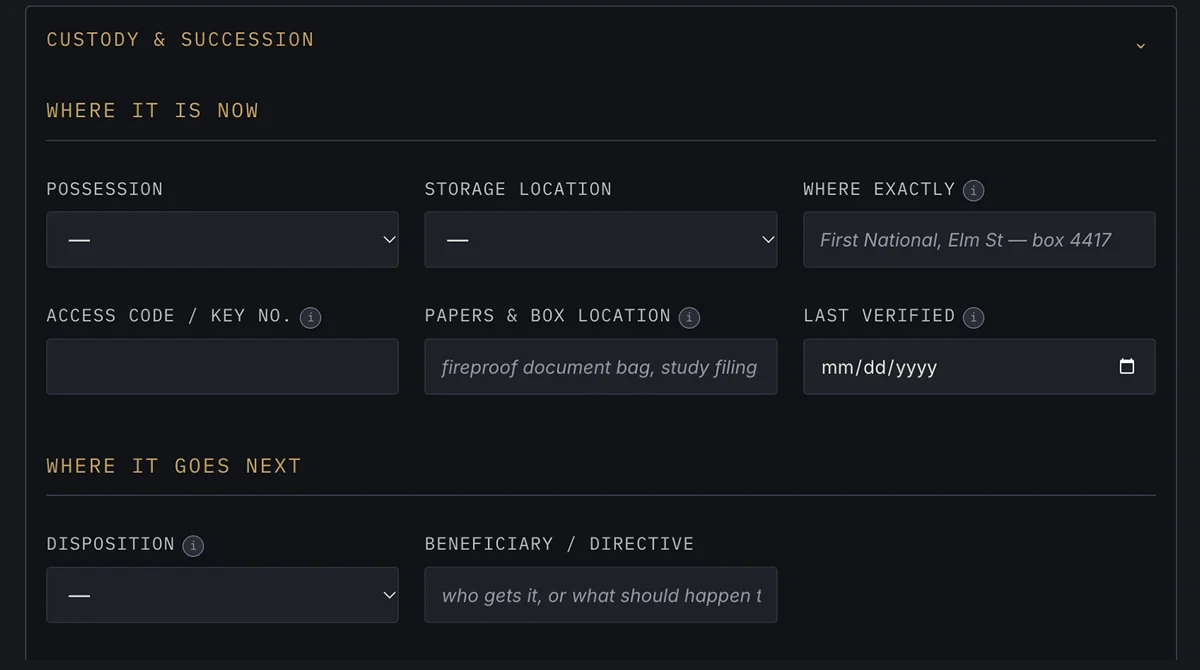
Where it is, and who gets it
Where it is now: possession, storage location and exactly where, an access code or key number, where the papers and box are kept, and when you last checked. Where it goes next: what should happen to it (labelled Disposition in these pictures) and the beneficiary or directive. These are notes for the people you choose; they are not a will.
Ratings
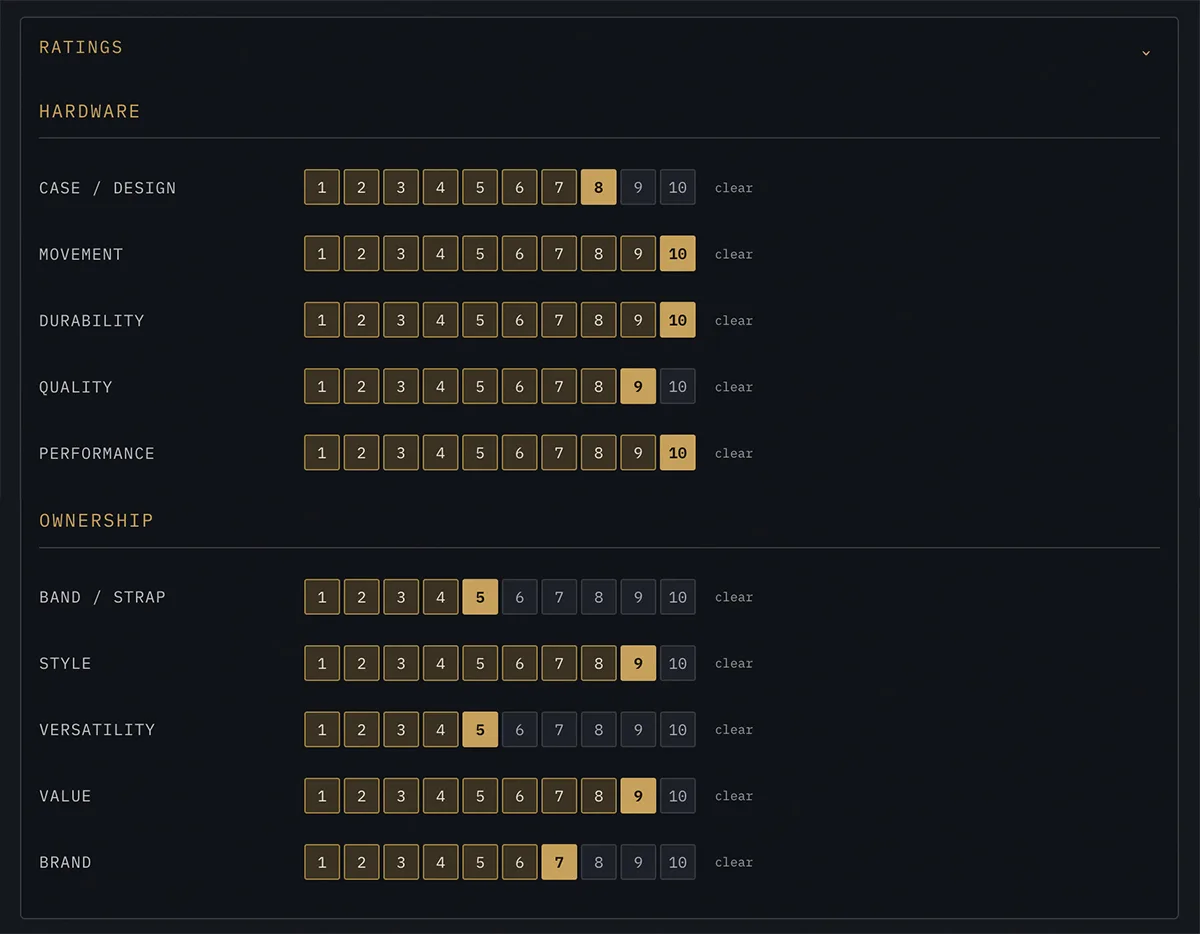
Your own scores, 1 to 10. The average counts only what you rate
Ten points in two groups. Hardware: case and design, movement, durability, quality and performance. Ownership: band or strap, style, versatility, value and brand. Click a number to set a score; click it again, or clear, to blank it, and leave any point unscored if you like. The average counts only what you scored and says how many, such as “8.7 · 9 of 10 rated”, and the watch’s folio prints it as Your Rating. These are your opinion of the watch, not an appraisal. They sit beside the one-to-five-star personal rating in The Basics, which stays as the quick verdict.
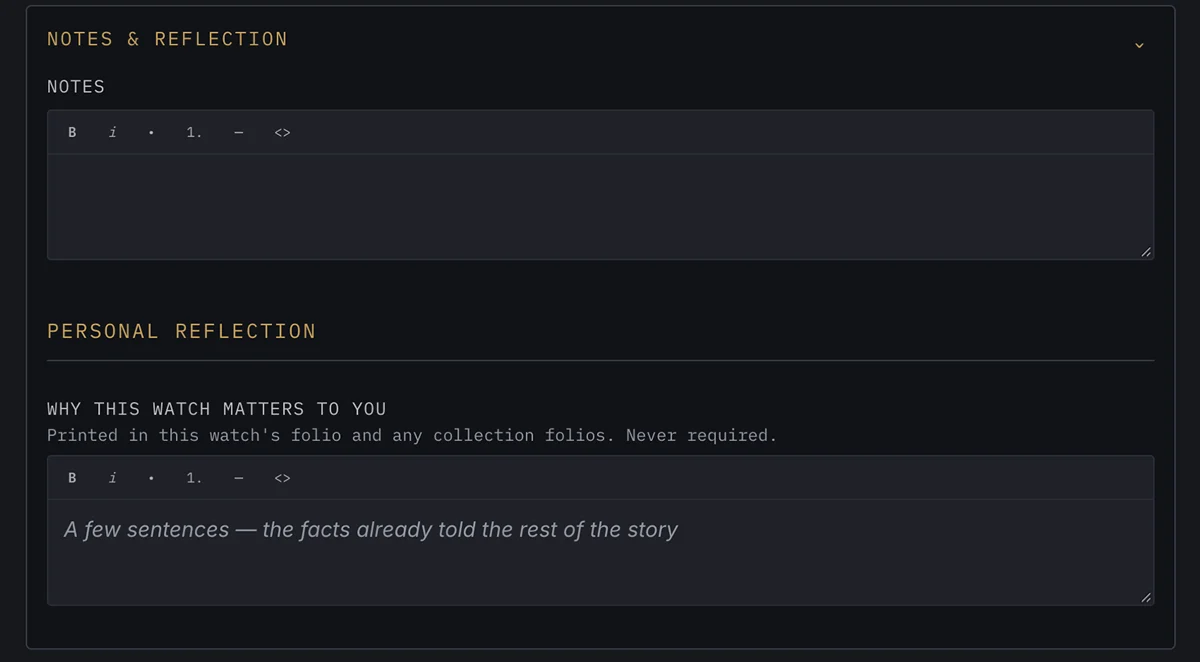
Notes & Reflection
Wearing impressions, and why it matters to you
Notes, in your own words. Then a personal reflection on why this watch matters to you, which is printed in the watch's folio and any collection folios, and is never required.