Guide · Step by step
Add a watch.
Every watch starts from the same form. These pictures show it in version 2.74.0 of Watch Vault Archive, using the application's fictional sample collection.
Open the form.
Click + Watch in the menu bar along the top of the application.

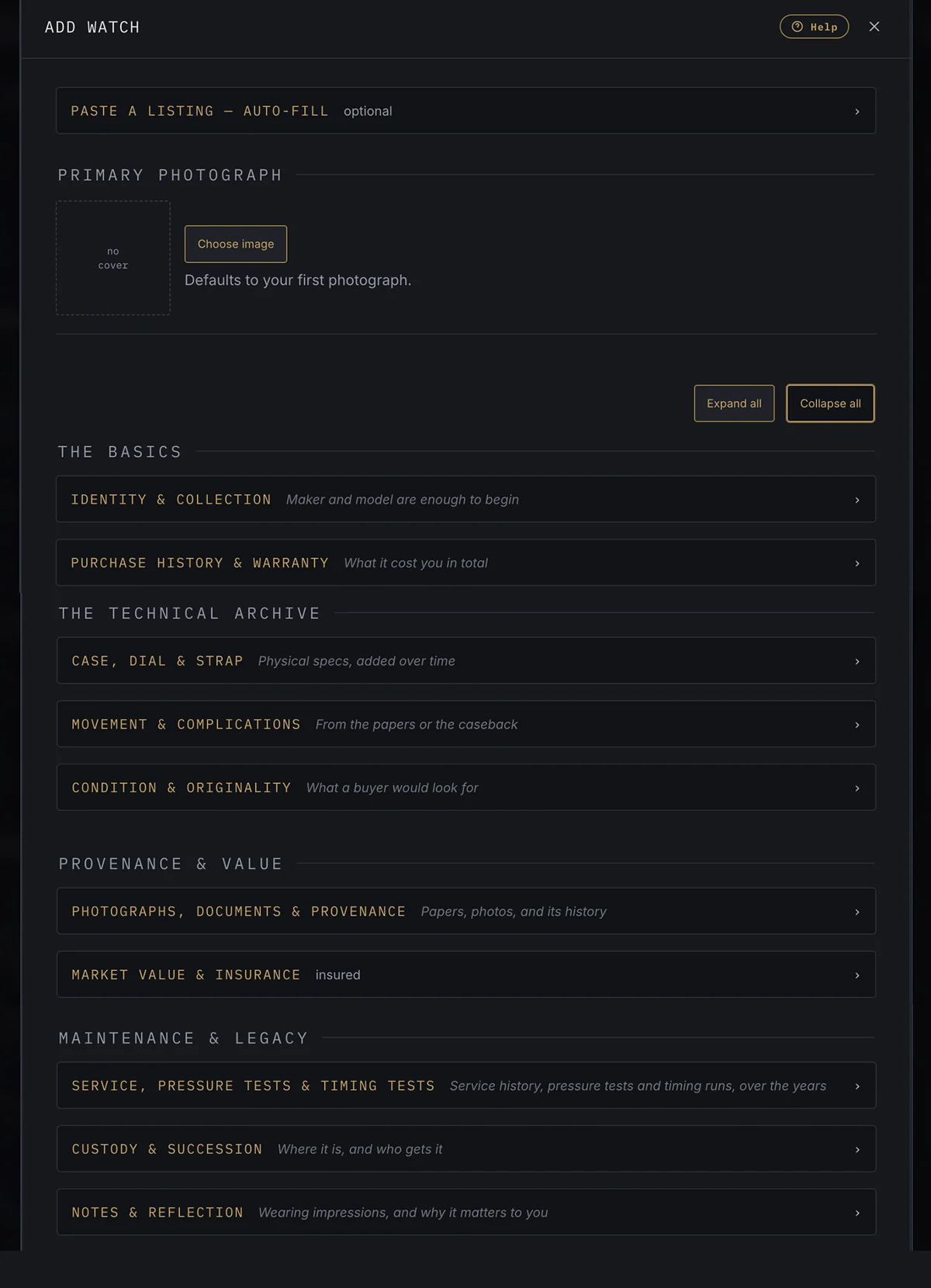
See how the form is laid out.
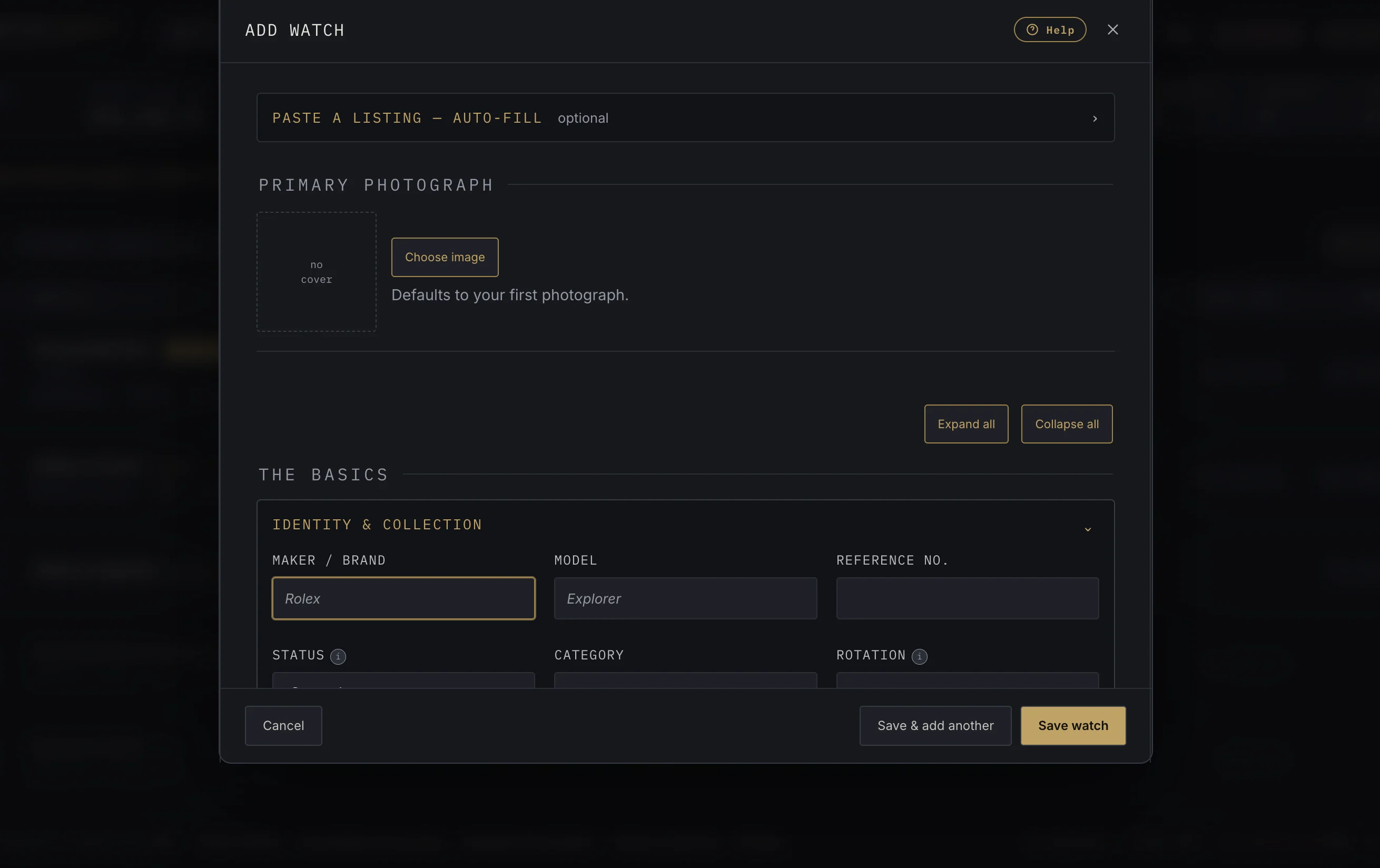
The form opens with every section closed. At the top you can paste a dealer or auction listing to fill fields in for you, which is optional, and choose a main photograph. Below that the record is grouped into four parts. Click a section to open it; Expand all and Collapse all open or close every section at once.
Fill in what you know.
The form itself says maker and model are enough to begin. Everything else can be added now or later. Each group is explained, section by section, on its own page:
- The Basics — Identity & Collection, Purchase History & Warranty
- The Technical Archive — Case, Dial & Strap, Movement & Complications, Condition & Originality
- Provenance & Value — Photographs, Documents & Provenance, Market Value & Insurance
- Maintenance & Legacy — Service, Pressure Tests & Timing Tests, Custody & Succession, Notes & Reflection
Save the watch.
Click Save watch, or Save & add another to start the next one straight away. Cancel closes the form without saving.
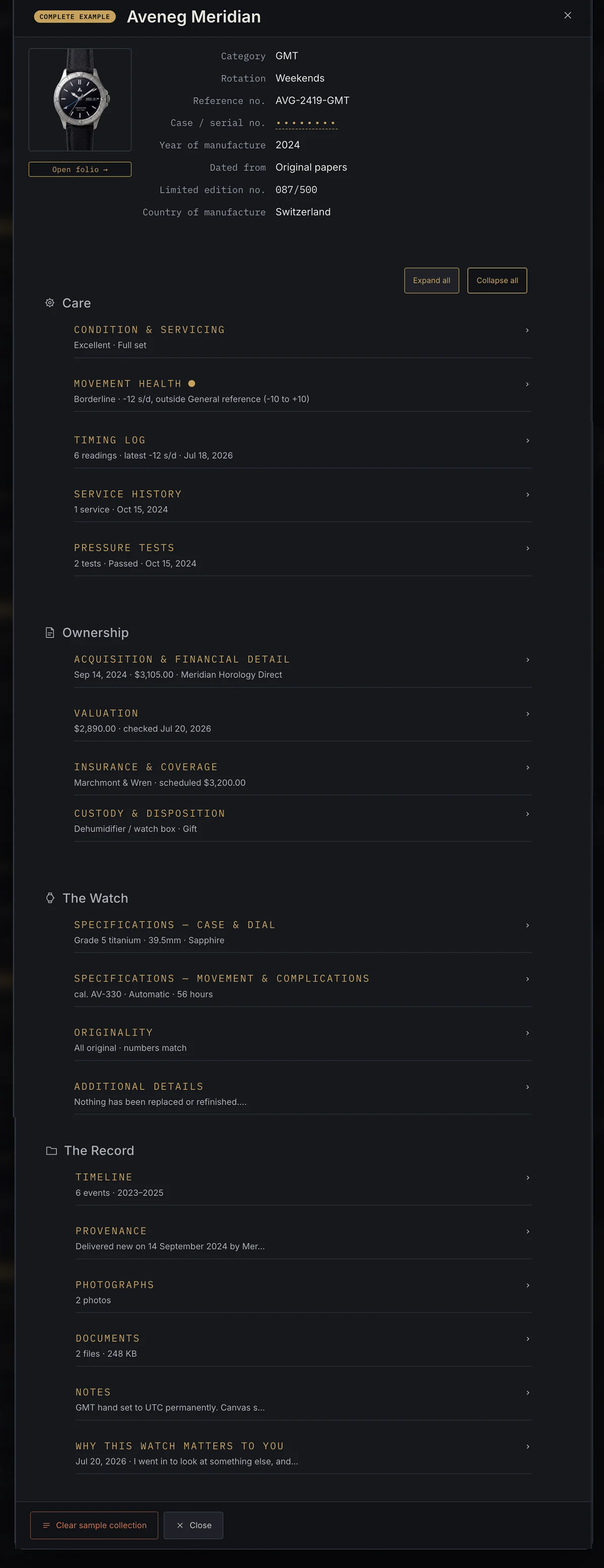
What a finished record looks like.
This is the sample collection's complete example, opened. A summary sits at the top, and the details are grouped under Care, Ownership, The Watch and The Record.