Guide · Add a watch · Part 3 of 4
Provenance & Value.
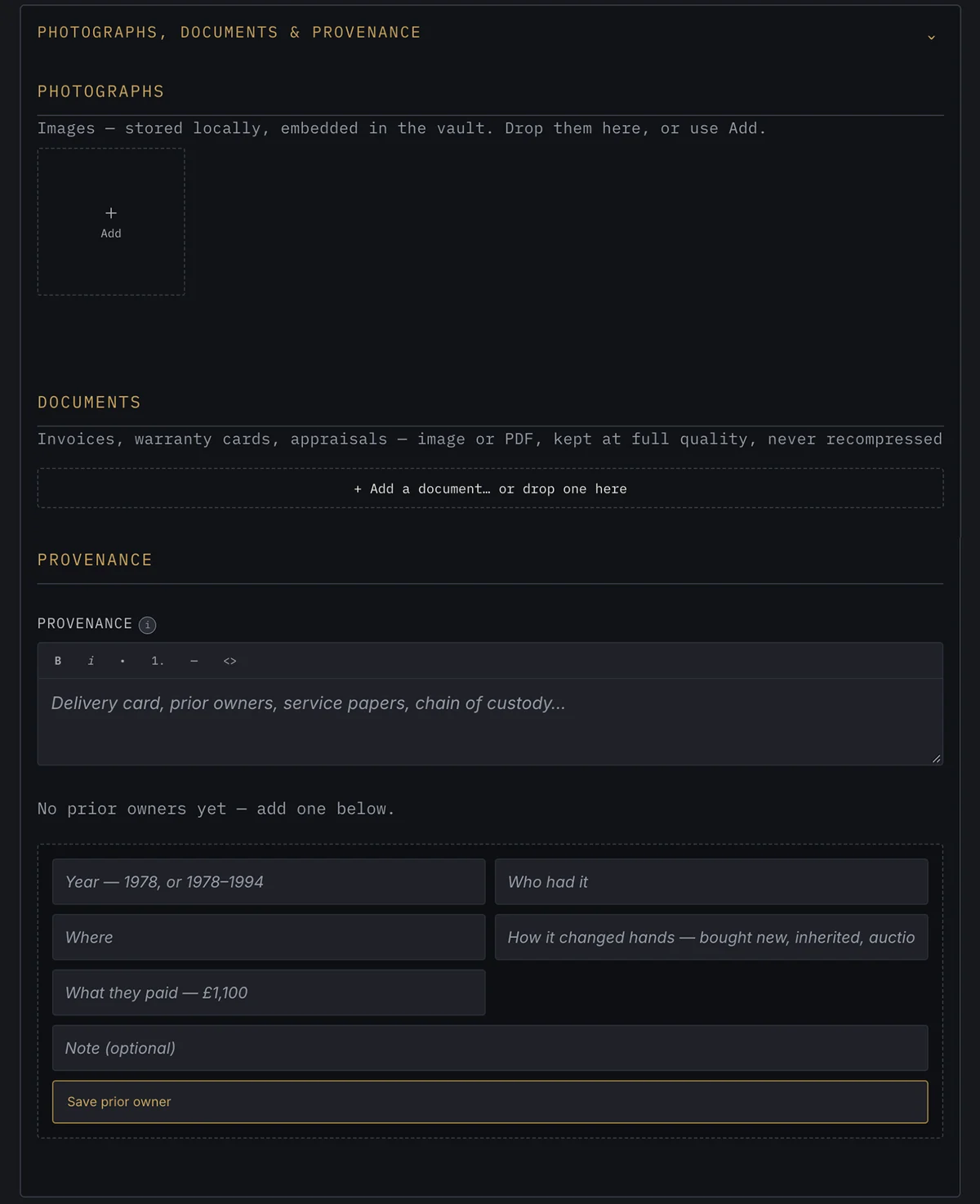
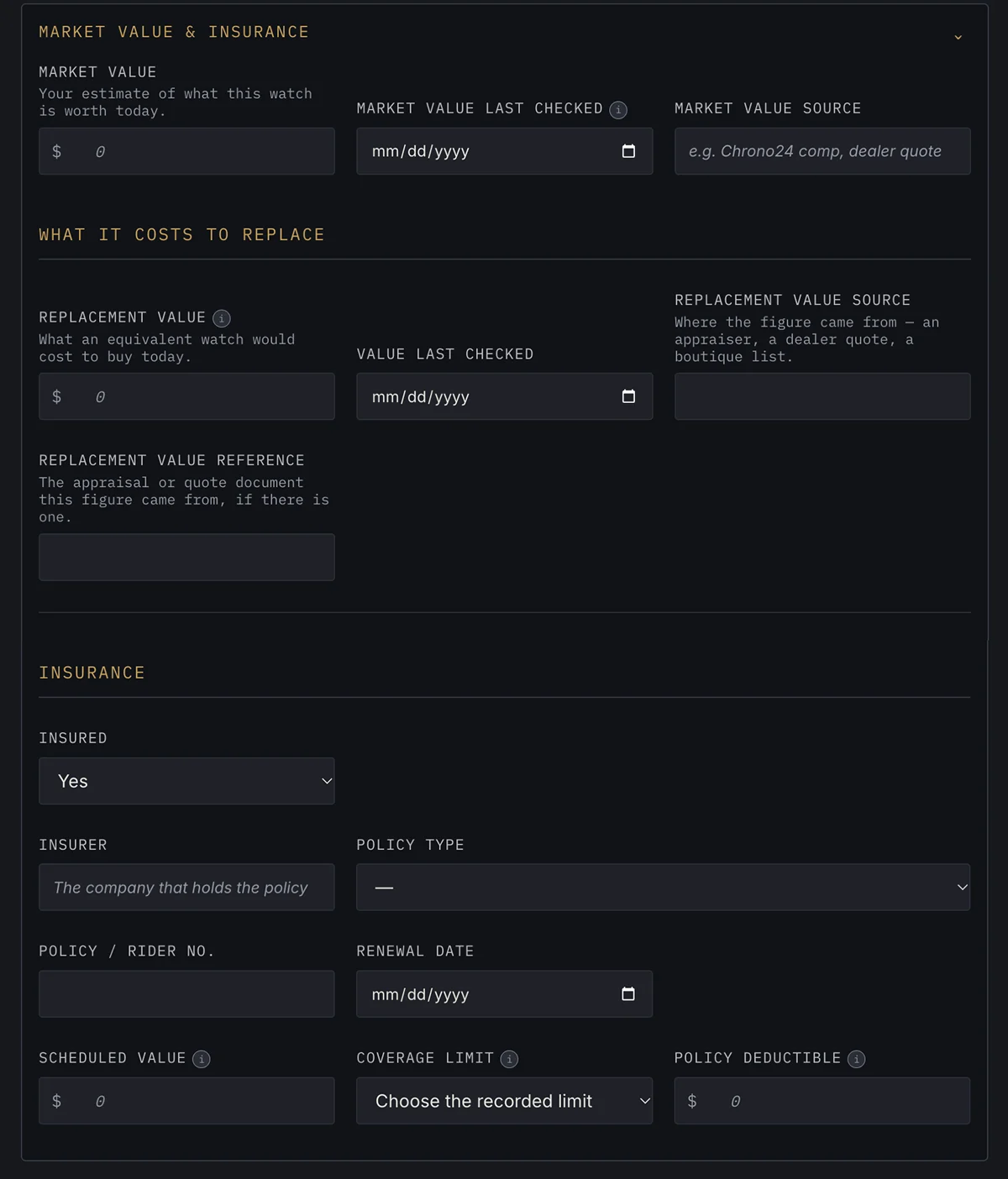
The third group: the watch's photographs, documents and history, and what it is worth and insured for. These pictures show version 2.74.0 of Watch Vault Archive with every field empty; grey text in a box is only an example. Where the form gives a section a one-line description, it appears in italics under the heading.
Photographs, Documents & Provenance
Papers, photos, and its history
Photographs, stored encrypted on your computer with the rest of the record: drop them in or use Add. Documents such as invoices, warranty cards and appraisals, as images or PDFs, kept at full quality. Then the provenance: a written history (delivery card, prior owners, service papers, chain of custody) and a list of prior owners, each with the years, who had it, where, how it changed hands and what they paid.
Market Value & Insurance
Your own estimate of what the watch is worth today, when you last checked it and where the figure came from. What it would cost to replace: a replacement value, when it was checked, its source, and the appraisal or quote it came from. Then the insurance: whether it is insured, the insurer, policy type, policy or rider number, renewal date, scheduled value, coverage limit and deductible. Every figure here is one you enter.
← Part 2: The Technical Archive · Part 4: Maintenance & Legacy →