Guide · Add a watch · Part 1 of 4
The Basics.
The first group in the Add Watch form: what the watch is, and what it cost you. These pictures show version 2.74.0 of Watch Vault Archive with every field empty; grey text in a box is only an example. Where the form gives a section a one-line description, it appears in italics under the heading.
Identity & Collection
Maker and model are enough to begin
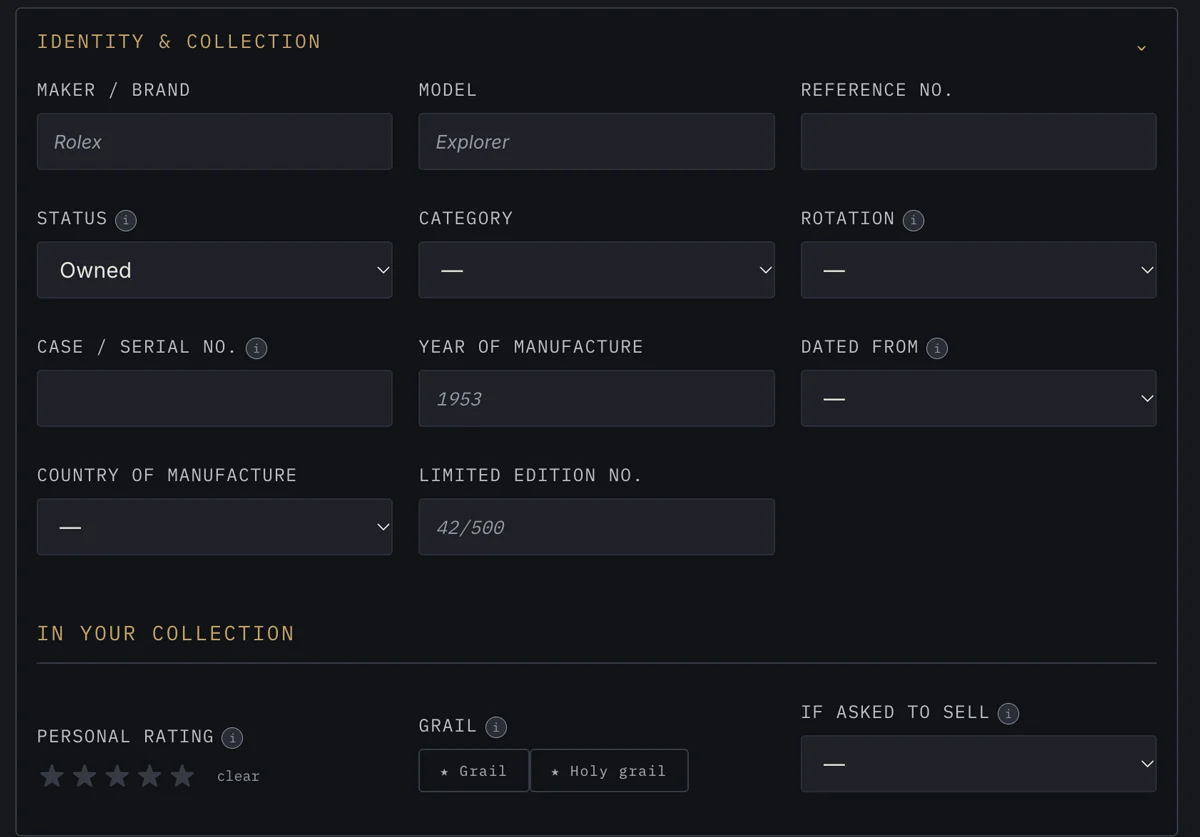
What the watch is: maker, model and reference number; its status, category and rotation; the case or serial number, year of manufacture and what that year is dated from; country of manufacture and a limited-edition number. Below that, In your collection holds your personal rating, whether it is a grail or holy grail, and what you would say if asked to sell.
Purchase History & Warranty
What it cost you in total
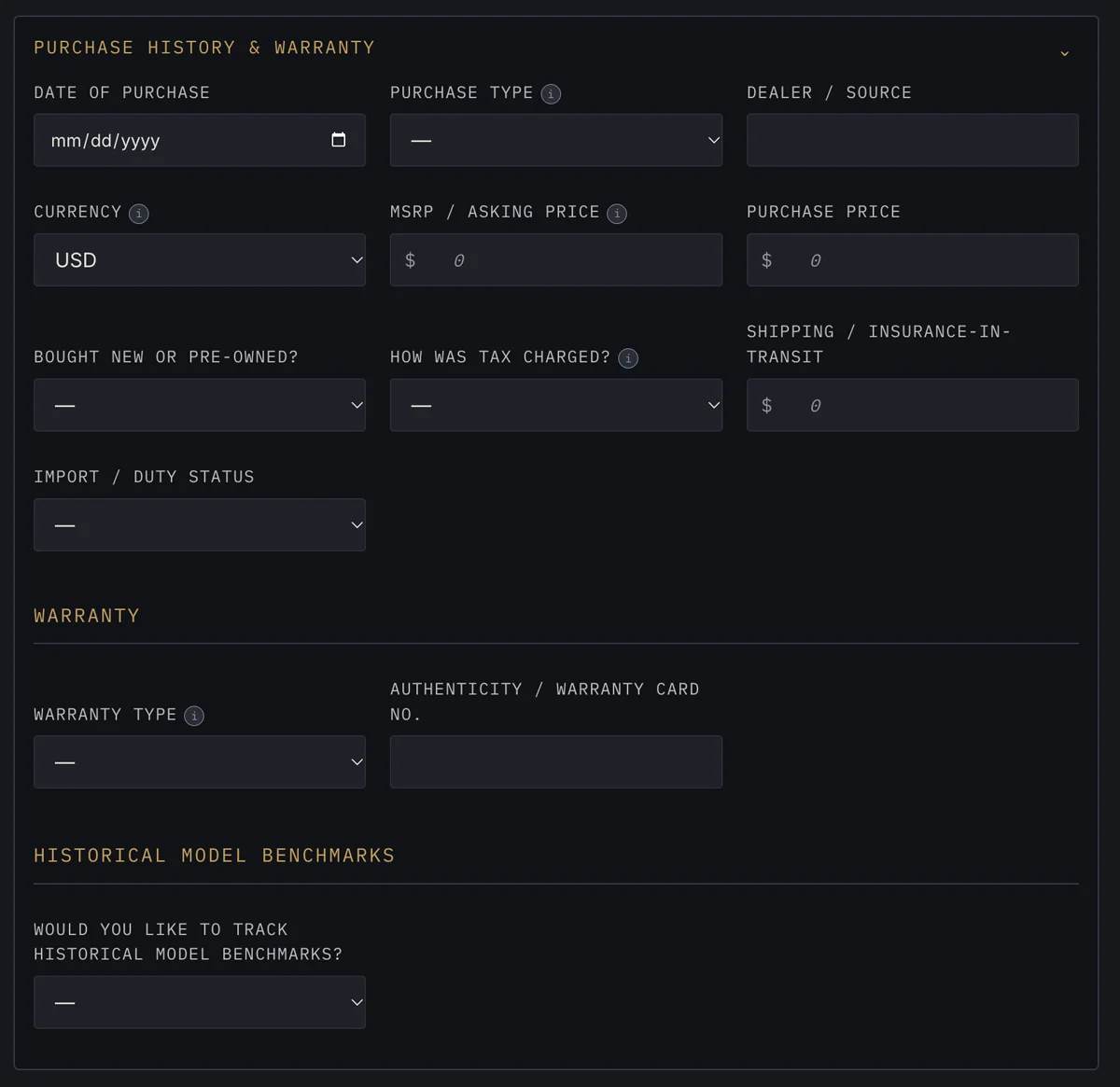
When and how you bought it: date of purchase, purchase type and dealer or source; currency, the MSRP or asking price and what you paid; whether it was bought new or pre-owned, how tax was charged, shipping and insurance in transit, and import or duty status. Then the warranty type and the authenticity or warranty card number, and whether to track historical model benchmarks.